A little clarity. Every payday.
Your bills have a plan.
The rest is yours.
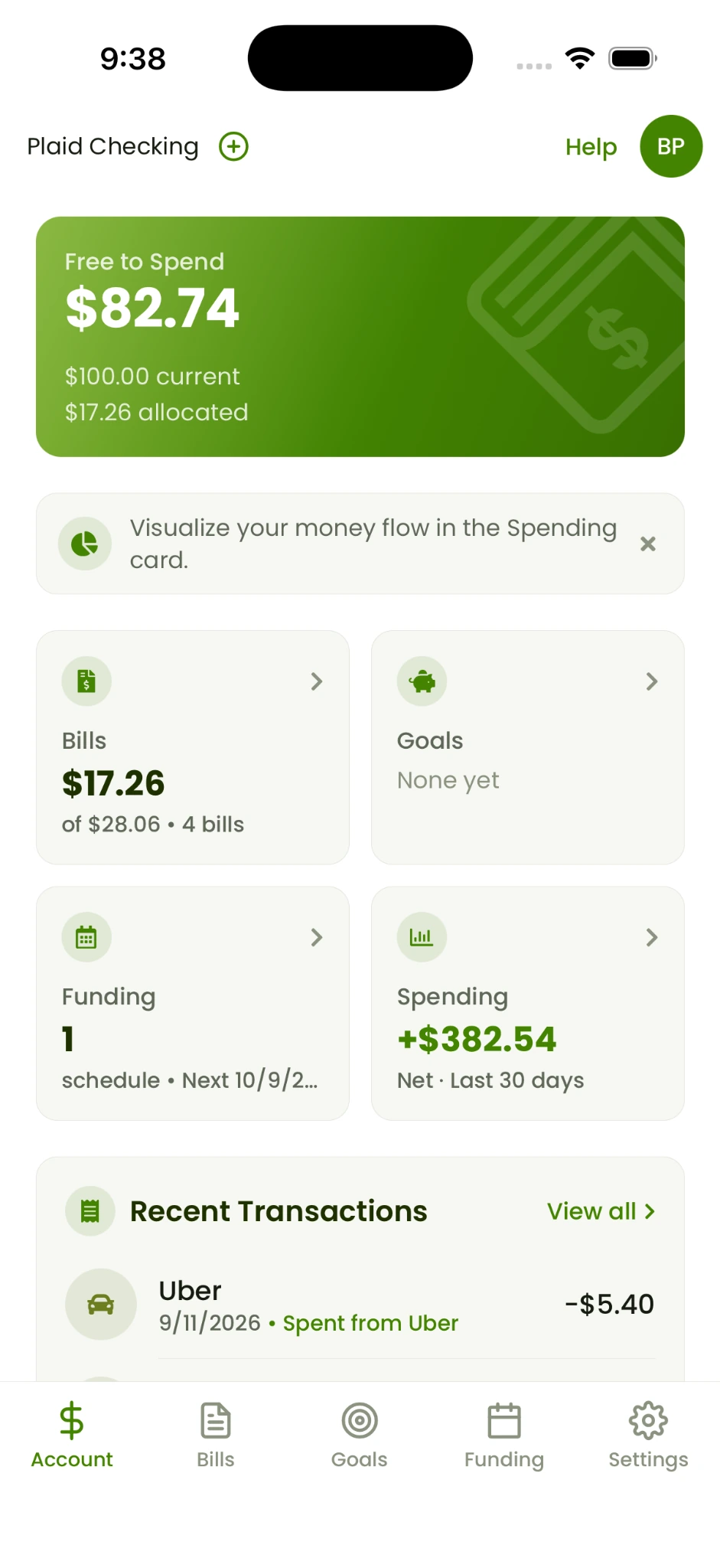
Give bills and savings their place in your budget. Yearn helps you see what’s left for everyday life, with funding schedules that fit how you get paid.
Free plan available · No credit card required
How it works
A place for your money.
A plan for your payday.
Bring in your account.
Start manually or connect through Plaid. Choose the approach you’re comfortable with.
Add bills and goals.
Organize what’s coming up and what you want to work toward.
Set a funding schedule.
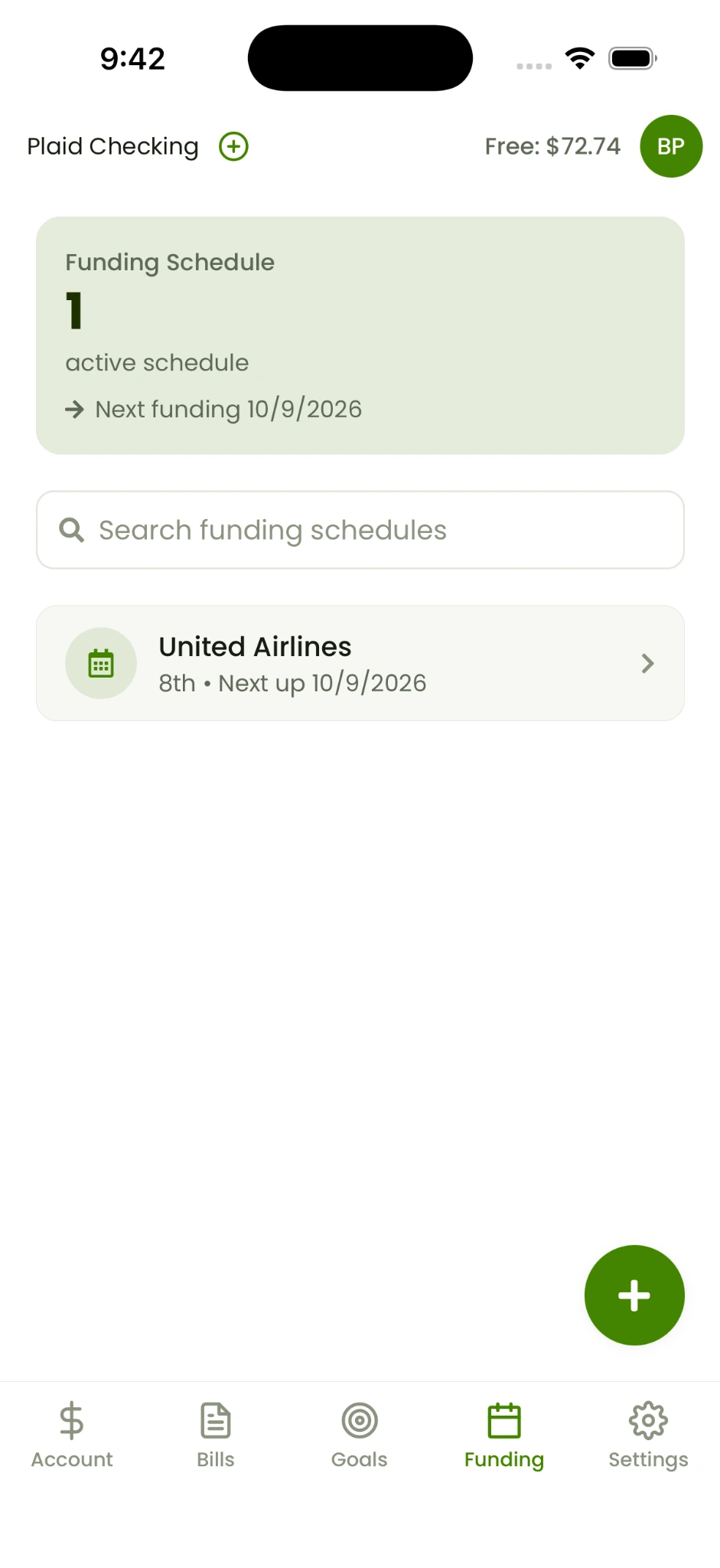
Allocate your budget on a schedule, then check Free to Spend as you go.
Make room for what matters
Today’s spending.
Tomorrow’s plans.
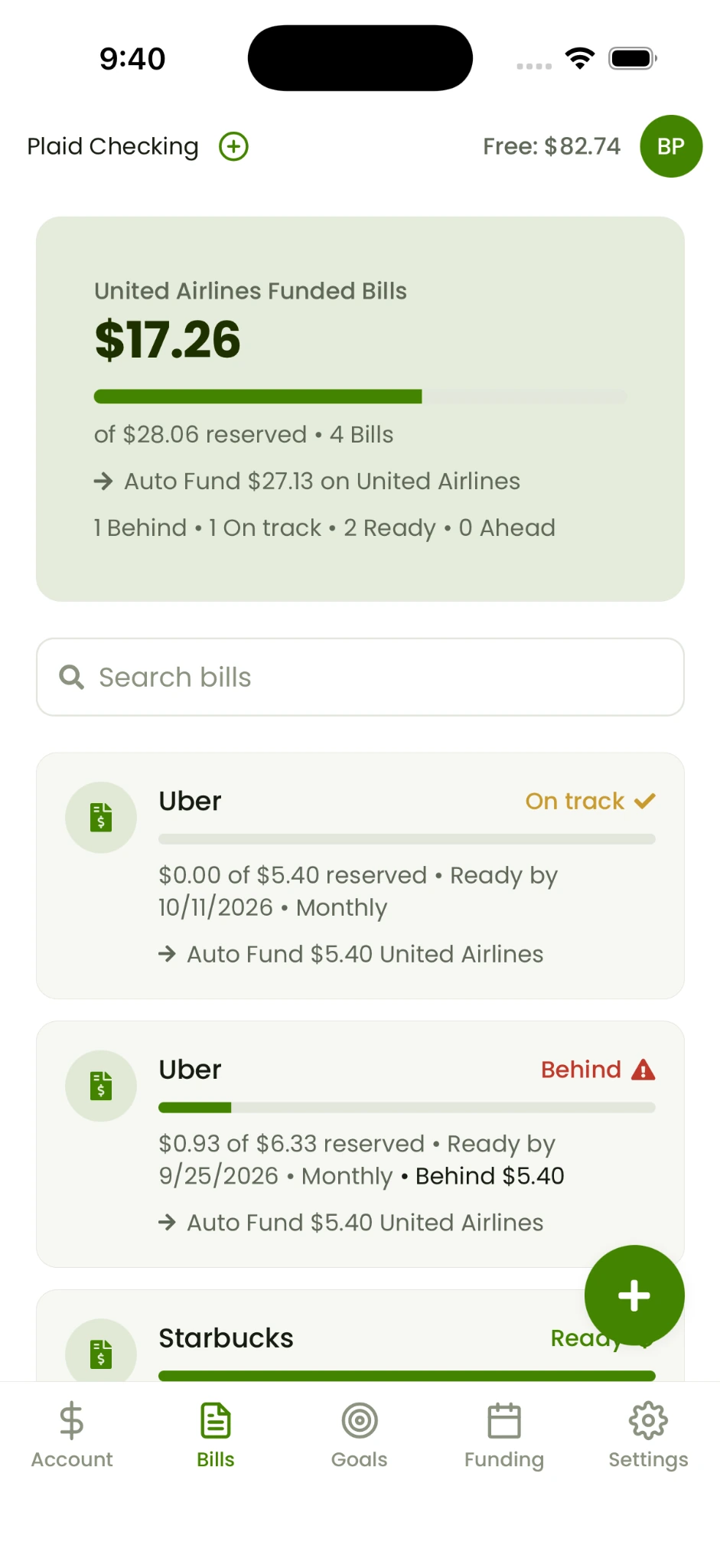
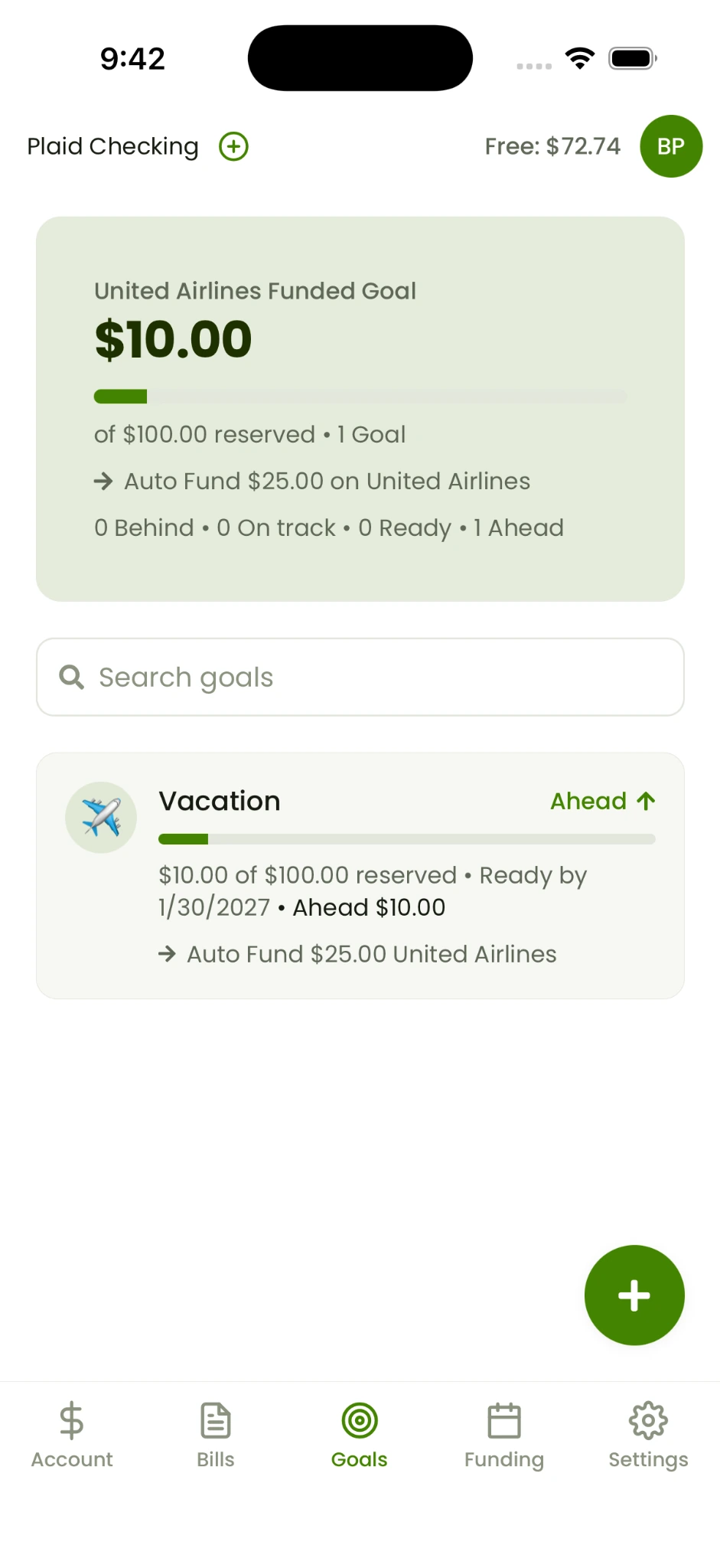
A bill due soon and a vacation down the road deserve their own space. Keep both in view without losing sight of everyday spending.
- Bill reserves and progress at a glance
- Dedicated savings goals
- Funding schedules for your routine
See where it all goes
Less guessing.
More understanding.
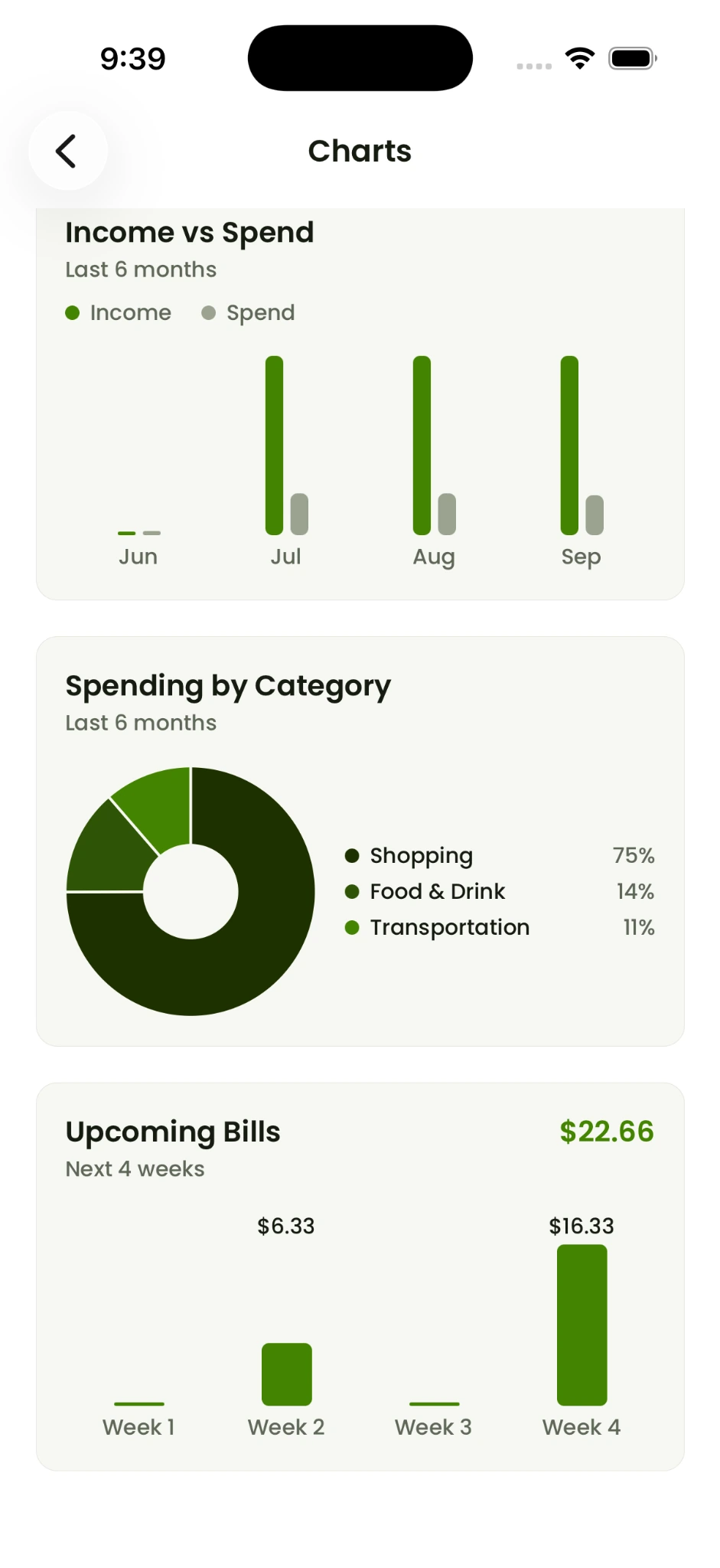
Look beyond a single balance. Your spending charts bring income, categories and upcoming bills into the same conversation.
Explore YearnBudget allocations stay inside Yearn. Your bank funds stay where they are.
Meet your new money routine
The actual app.
Everyday possibilities.
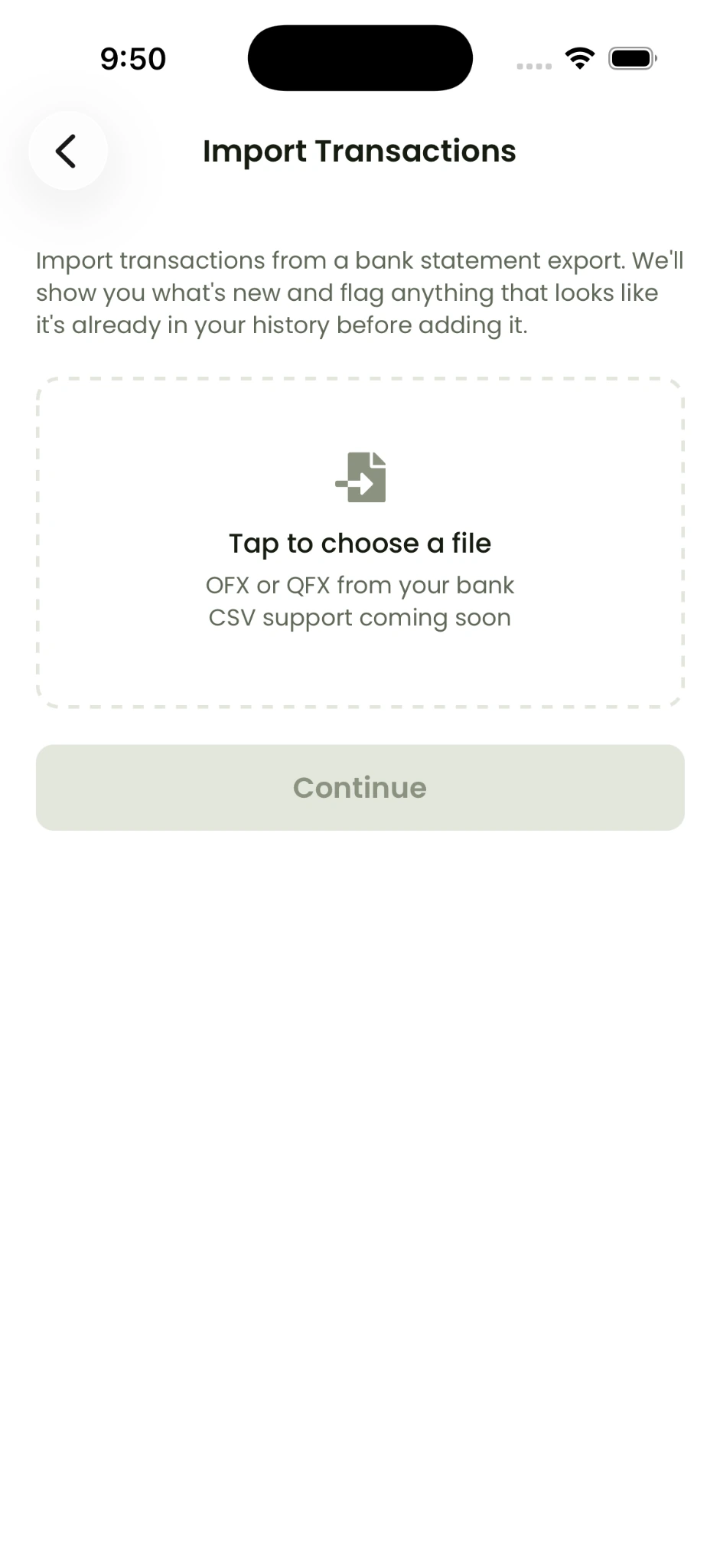
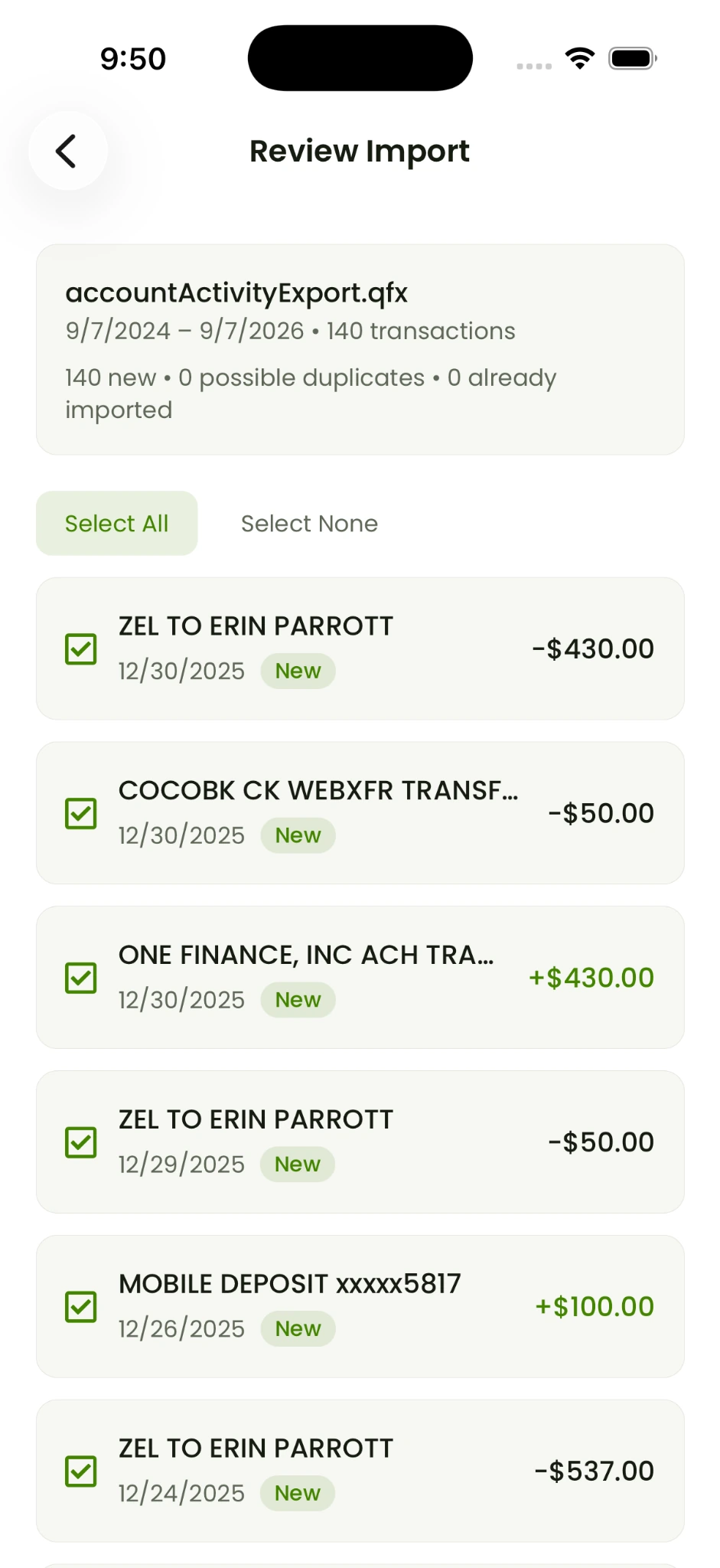
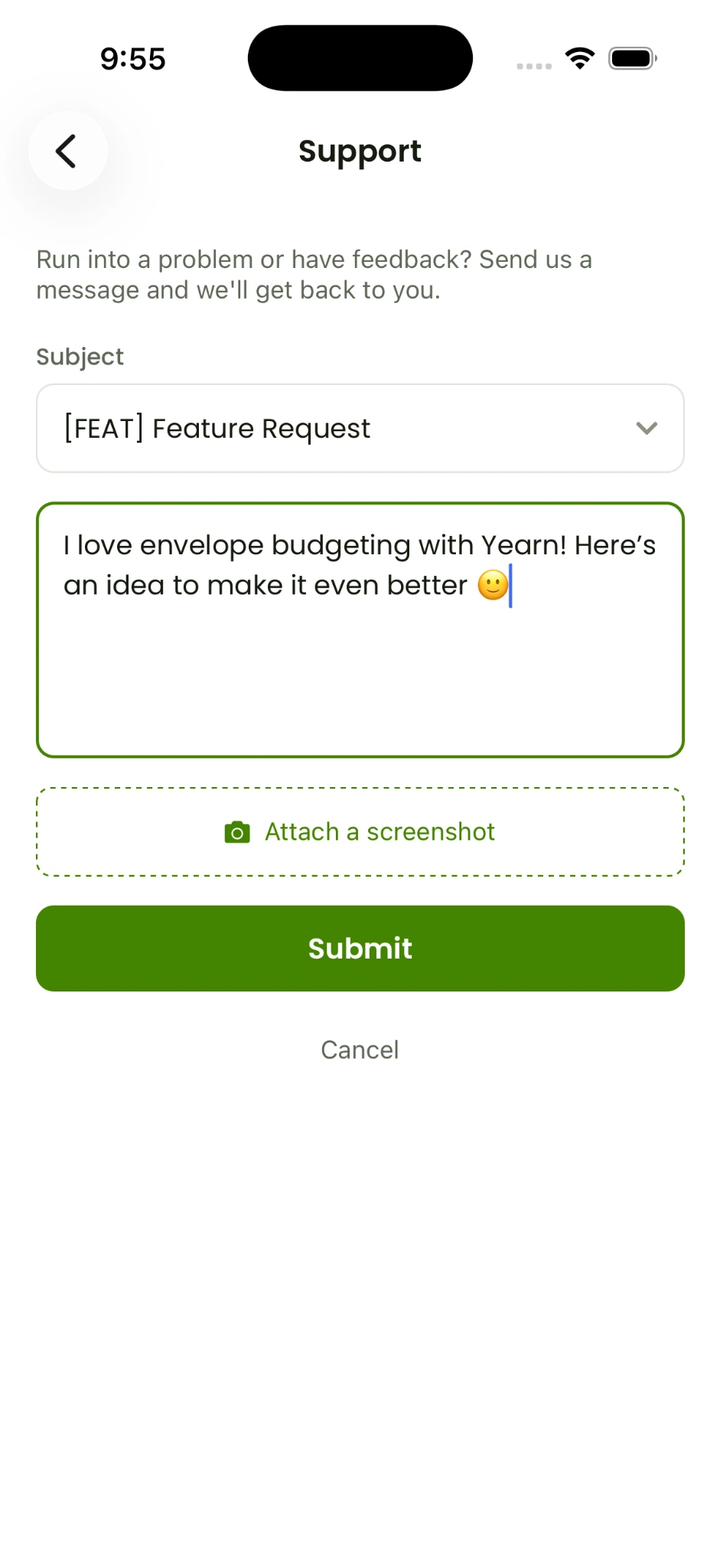
Take a closer look at Yearn, from your daily overview to imports and support.
Choose your starting point
Start free.
Grow into Plus.
Free
$0 / month
No credit card required
- 1 manual account
- Up to 3 bills
- Up to 3 goals
- Automated funding schedules
Plus
$4.99 / month on the web
$7.99/month via App Store or Google Play
- Everything in Free
- Unlimited accounts, including multiple per bank
- Unlimited bills and goals
- Bill and goal health summaries
One-time 30-day trial for new subscribers
Web subscriptions cost $3 less per month. After creating your account, go to Settings → Subscription to upgrade. Bank-connected accounts are limited to one institution.
Before you begin
A few things
you might ask.
A clearer budget starts with clear expectations.
Contact support ↗Does Yearn actually transfer my money?
No. Funding is an allocation within your budget. Plaid connections provide read-only balances and transactions.
Can I use it without connecting a bank?
Yes. You can maintain a manual account instead.
Can I connect accounts at different banks?
The current bank connection supports multiple accounts at one institution.
How do I start the Plus trial?
Create your free account, then open Settings → Subscription. New subscribers receive one 30-day trial.
How often does bank data refresh?
Typically daily or more often, depending on the institution and Plaid.
Your next payday starts here
Make a little more room
for everyday life.
Use Yearn wherever your day takes you.